How to Standardize ISO File Names with Rename Rules
Filename cleanup is usually where batch ISO work gets annoying. Batch ISO Creator turns that cleanup into rules you can apply consistently.
Messy names do not look serious. They also make archives harder to search, sort, compare, and hand off. A folder called final client files NEW 2 might be understandable today, but an ISO named final client files NEW 2.iso will look unprofessional six months from now.
Batch ISO Creator treats naming as part of the workflow instead of an afterthought. You can configure rules for folders and rules for generated ISO files, then apply those rules as the batch runs. That means output names are closer to final the first time.
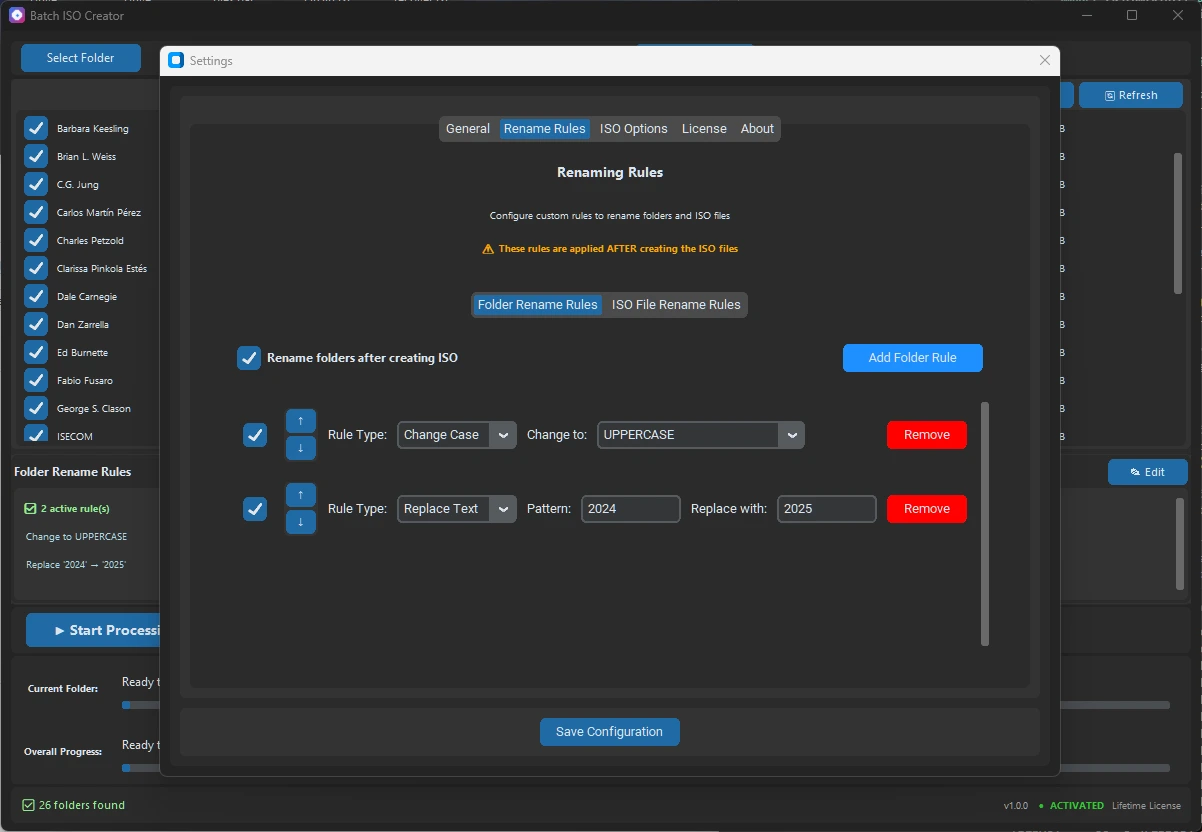
Important detail: Rename rules are applied after ISO creation. That is useful when you want the app to produce the ISO first and then clean the generated ISO filename or final folder name as a controlled post-processing step.
The two rename layers
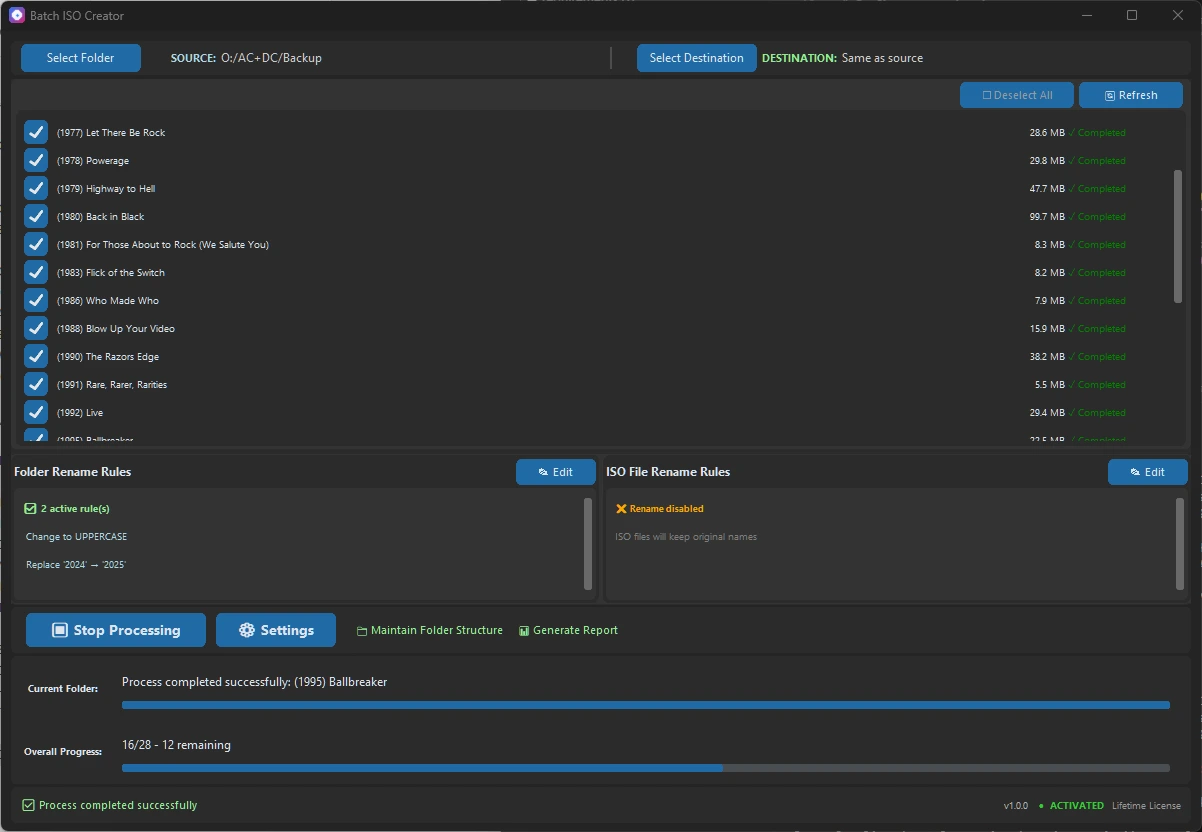
The app separates rename behavior into two sections. Folder Rename Rules are for folder names. ISO File Rename Rules are for the generated ISO file names. That separation matters because the name you want on disk is not always the exact name you want inside your source structure.
| Rename layer | Best used for | Example |
|---|---|---|
| Folder rename rules | Cleaning final folder names after ISO creation | Client A Release to CLIENT_A_RELEASE |
| ISO file rename rules | Cleaning generated ISO filenames | Client A Release.iso to CLIENT_A_RELEASE_2026.iso |
| Both layers | Strict archive or delivery conventions | Folder and ISO name follow the same client/version pattern |
Rule types in plain English
Batch ISO Creator includes the rule types most people need for real cleanup. You do not need to write a script just to make names consistent.
| Rule type | What it does | Useful example |
|---|---|---|
| Replace Text | Finds text and replaces it with different text | Replace spaces with underscores |
| Remove Text | Deletes a fixed phrase or token | Remove copy, final, or a vendor tag |
| Regular Expression | Uses a pattern for advanced cleanup | Remove trailing build numbers or normalize dates |
| Change Case | Converts names to uppercase, lowercase, or title case | client pack to CLIENT PACK |
| Add Prefix | Adds text at the start | CLIENTA_ before every ISO name |
| Add Suffix | Adds text at the end | _ARCHIVE or _2026 |
| Insert | Inserts text by position or around matching text | Add a dash before a version marker |
| Delete | Deletes characters by position or around matching text | Remove an unwanted leading code |
A practical naming recipe
For many teams, the safest convention is uppercase words separated by underscores. It sorts well, avoids space-related confusion, and reads clearly in scripts, file shares, and archive tools.
Original folder names
Client A - Onboarding Kit
client-b onboarding kit
Client C.Onboarding.Kit

Desired ISO names
CLIENT_A_ONBOARDING_KIT.iso
CLIENT_B_ONBOARDING_KIT.iso
CLIENT_C_ONBOARDING_KIT.iso
You can get close with a simple sequence: replace - with _, replace spaces with underscores, replace dots with underscores, then use Change Case to uppercase. If you need a project code, add a prefix. If you need a retention label, add a suffix.
Why order matters
Rules run in order. That means a replace rule can prepare a name for a later regex rule, or a case rule can make final output consistent after all text cleanup has happened. In most cases, put destructive cleanup first, structural replacements next, and case conversion near the end.
When a regex rule is worth it
Regex is useful when names are inconsistent but the problem has a pattern. For example, you might remove everything inside square brackets, normalize repeated separators, or strip a trailing temporary code. If the cleanup is simple, use Replace or Remove. If the cleanup depends on a pattern, use Regular Expression.
The app is intentionally friendly to both groups: users who only need simple replacements and users who want advanced pattern matching.
Clean ISO Names Before They Become a Cleanup Job
Use Batch ISO Creator when naming consistency matters as much as creating the ISO files. Configure folder and ISO rename rules once, then run the batch with cleaner output.
FAQ
Can Batch ISO Creator rename ISO files after creation?
Yes. The app has a dedicated ISO File Rename Rules section that can rename generated ISO filenames after the ISO creation step.
What rename rules are available?
The current rule set includes replace text, remove text, regular expression, change case, add prefix, add suffix, insert, and delete rules.
Can folder names and ISO names use different rules?
Yes. Folder rename rules and ISO file rename rules are separate, so each output layer can have its own cleanup logic.